
JPG to Draw.io Converter
Transform your JPG images into fully editable Draw.io diagrams
Upload your JPG image
JPG or JPEG files up to 10MB
or drag and drop your JPG file here
Try 1 conversion free without an account
Register to receive 2 credits and save your conversions!
Why JPG to Draw.io Conversion Matters
JPG remains the most common image format for sharing diagrams. Screenshots, exports, email attachments - they're often JPEGs. But JPG files are static, compressed, and impossible to edit. Our JPG to Draw.io converter changes that, transforming your JPEG images into fully editable diagrams while handling compression artifacts intelligently.
Compression-Aware Processing
JPG compression can blur edges and create artifacts. Our converter detects and compensates for JPEG compression, ensuring clean shapes and readable text in your final Draw.io diagram.
Color Optimization
JPEG's lossy compression affects colors. We restore color consistency, ensuring your converted diagrams have professional, uniform colors instead of compression-induced variations.
Perfect for Screenshots
Most screenshots save as JPG by default. Our converter excels at processing these common files, turning quick screen captures into editable Draw.io diagrams in 1-2 minutes.
JPG to Draw.io Success Stories
See how teams convert their JPEG diagram images into editable Draw.io files
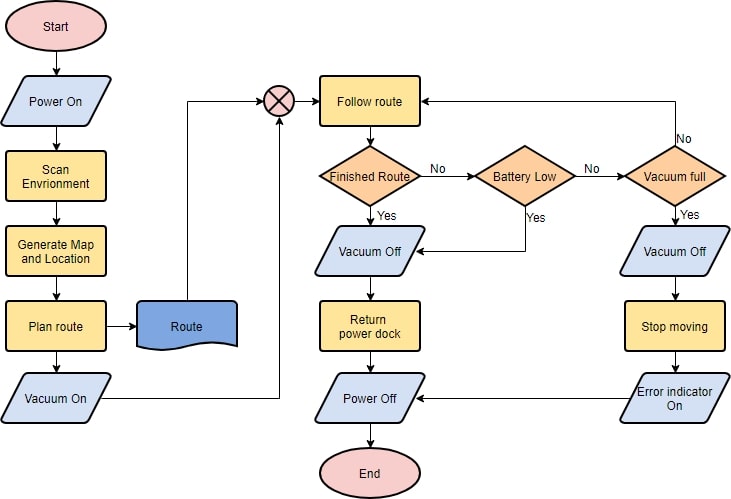
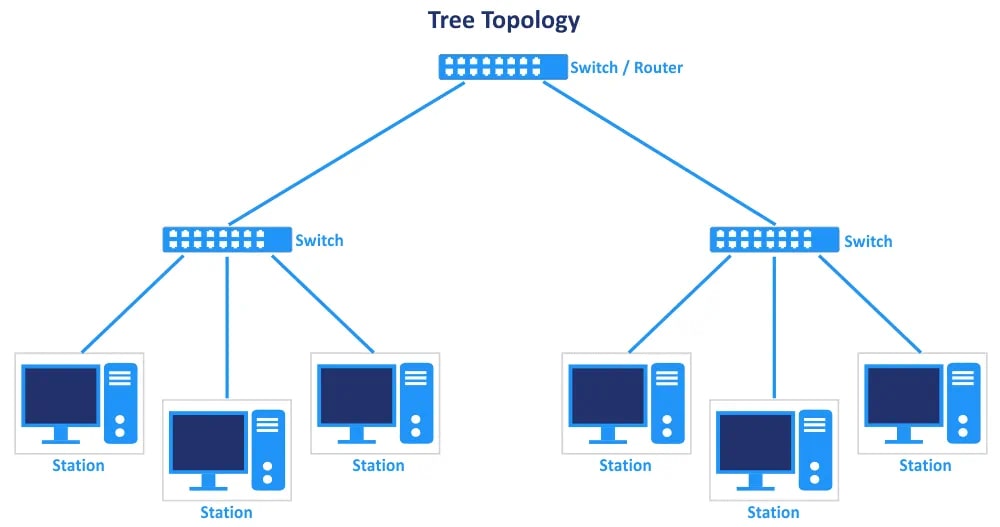
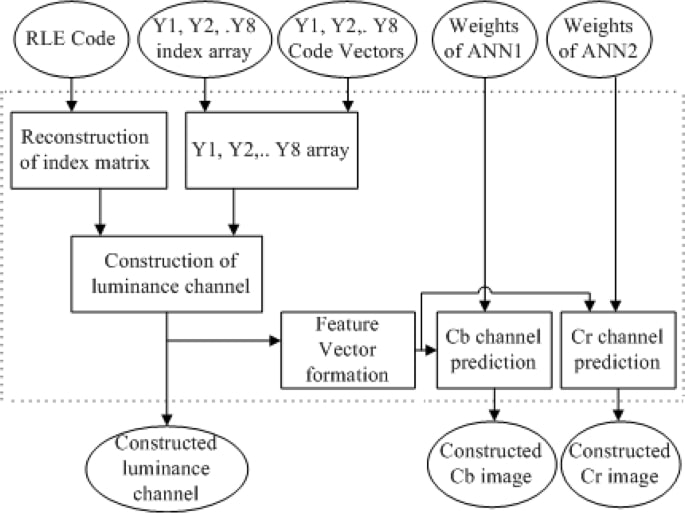
Advanced JPG to Draw.io Conversion Technology
Why our converter handles JPEG files better than generic tools
JPEG Artifact Removal
JPG compression creates blocky artifacts around text and edges. Our AI recognizes these as compression noise, not diagram elements. The result? Clean Draw.io files without JPEG artifacts cluttering your shapes.
Smart Edge Detection
JPEG blurs sharp edges - a nightmare for diagram conversion. We use advanced edge detection algorithms specifically tuned for JPG files. Fuzzy rectangles become crisp boxes, blurred arrows turn sharp and precise.
Text Enhancement for JPG
Text in JPEG images often looks fuzzy due to compression. Our OCR is specifically optimized for JPG text extraction, using de-noising algorithms to read even heavily compressed text accurately.
Color Quantization Fix
JPG compression reduces color depth, creating bands and gradients where none existed. Our converter identifies intended solid colors and restores them, ensuring your Draw.io output has clean, professional colors.
Progressive JPG Support
Whether your JPEG is baseline or progressive encoded doesn't matter. Our converter handles all JPG variants, ensuring consistent results regardless of how the original file was saved.
How to Use
Convert JPG to Draw.io in 3 Simple Steps
The fastest way to transform your JPEG diagrams into editable format
Select Your JPG File
Click the upload button or drag your JPG file directly onto the converter. We support standard JPEG and JPG extensions, files up to 10MB. Most diagram JPGs are under 2MB, so you've got plenty of room.
AI Processes Your JPEG
Our AI analyzes your JPG, compensating for compression artifacts and color degradation. It identifies shapes, extracts text, and maps connections - all while filtering out JPEG noise. Takes about 1-2 minutes for most files.
Edit in Our Online Editor
Your converted diagram opens instantly in our embedded Draw.io editor. Every element from your JPG is now editable - shapes, text, connections. Make changes right here, then export in any format you need.
FAQ
Common Questions About JPG to Draw.io Conversion
Everything you need to know about converting JPEG images to Draw.io
Why is JPG to Draw.io conversion different from PNG?
JPG uses lossy compression, which creates unique challenges. Unlike PNG's clean pixels, JPEG files have compression artifacts, color banding, and blurred edges. Our JPG to Draw.io converter is specifically optimized to handle these issues, using de-noising algorithms and artifact removal to deliver clean results.
Can I convert low-quality JPG files?
Yes! We've optimized our converter for real-world JPGs, including low-quality ones. Email-compressed images, old exports, even photos of screens work. The AI compensates for JPEG artifacts and enhances edges. While higher quality JPGs convert better, we regularly process 50KB email attachments successfully.
How does the converter handle JPG compression artifacts?
Our AI is trained to recognize JPEG compression patterns. Those blocky artifacts around text? The converter knows they're not part of your diagram. Fuzzy edges from compression? We sharpen them back up. Color banding? We detect the intended solid colors and restore them.
What's the best JPG quality for conversion?
Ideally, use JPGs saved at 80% quality or higher. But here's the thing - we built this for real-world use. That screenshot you took? The diagram someone emailed you? They'll work fine. We've successfully converted JPEGs compressed down to 30% quality. The AI handles it.
Does it work with camera photos of diagrams?
If the diagram is clear in the photo, yes! We've converted JPG photos of whiteboards, paper sketches, even screen photos. The key is decent lighting and focus. The converter handles perspective correction and enhances faded elements. Phone camera JPEGs work great.
Why do my colors look different after conversion?
JPEG compression changes colors subtly. Our converter actually fixes this - it detects what colors were intended before compression. So if your Draw.io output has slightly different colors than your JPG, it's likely closer to the original. We restore color consistency that JPEG compression destroyed.
Start Converting Your JPG Files Today
Join thousands who've unlocked their JPEG diagrams with our converter