Architecture Diagram Generator: Describe the System, Get the Picture

List your components and how they talk to each other. The AI groups them into tiers, draws AWS icons when you name AWS services, and labels every connection, as a Draw.io file you can edit.

0/2000

Try an example

Free preview, no account needed. Pay $1.99 only to unlock the editable file.

Explain a System on One Page

An architecture diagram is how teams agree on what talks to what: clients, gateways, services, databases, queues and outside providers. Drawing and aligning all of it takes hours. This architecture diagram generator turns a short description into a clean, tiered layout you can keep editing.

Tiers and Boundaries

Components are grouped left to right into clients, edge, services and data, with containers for networks, clusters or cloud accounts.

AWS Icons Built In

Name services such as Lambda, S3, DynamoDB or SQS and they appear with the official AWS icons from the Draw.io library.

Labelled Connections

Arrows follow the direction of requests or data and carry the protocol or purpose, such as HTTPS, gRPC, SQL or events.

Architecture Diagrams Made From One Paragraph

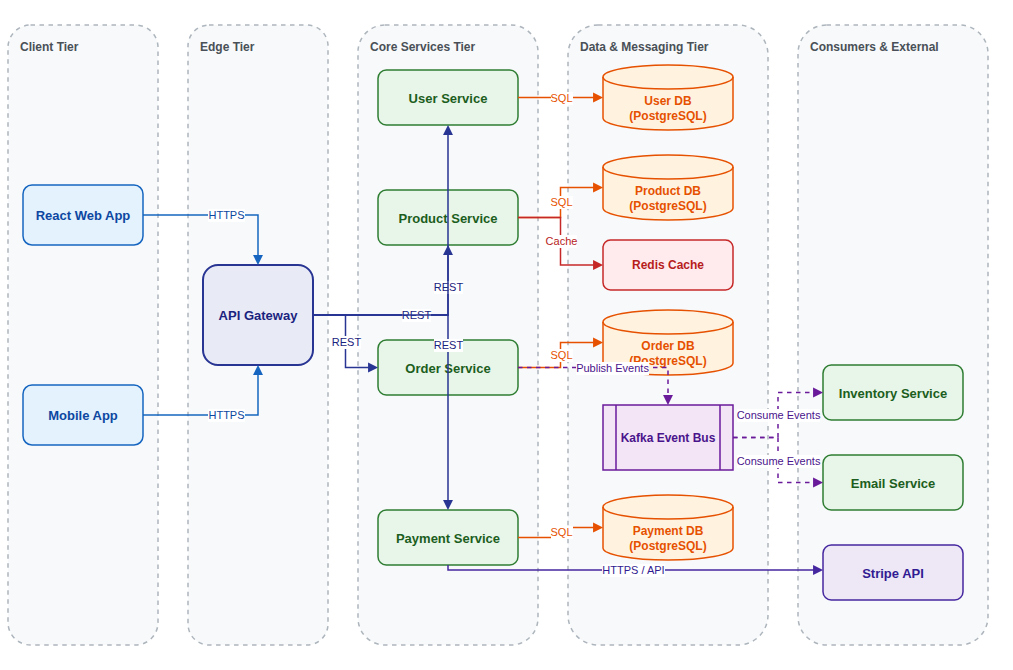
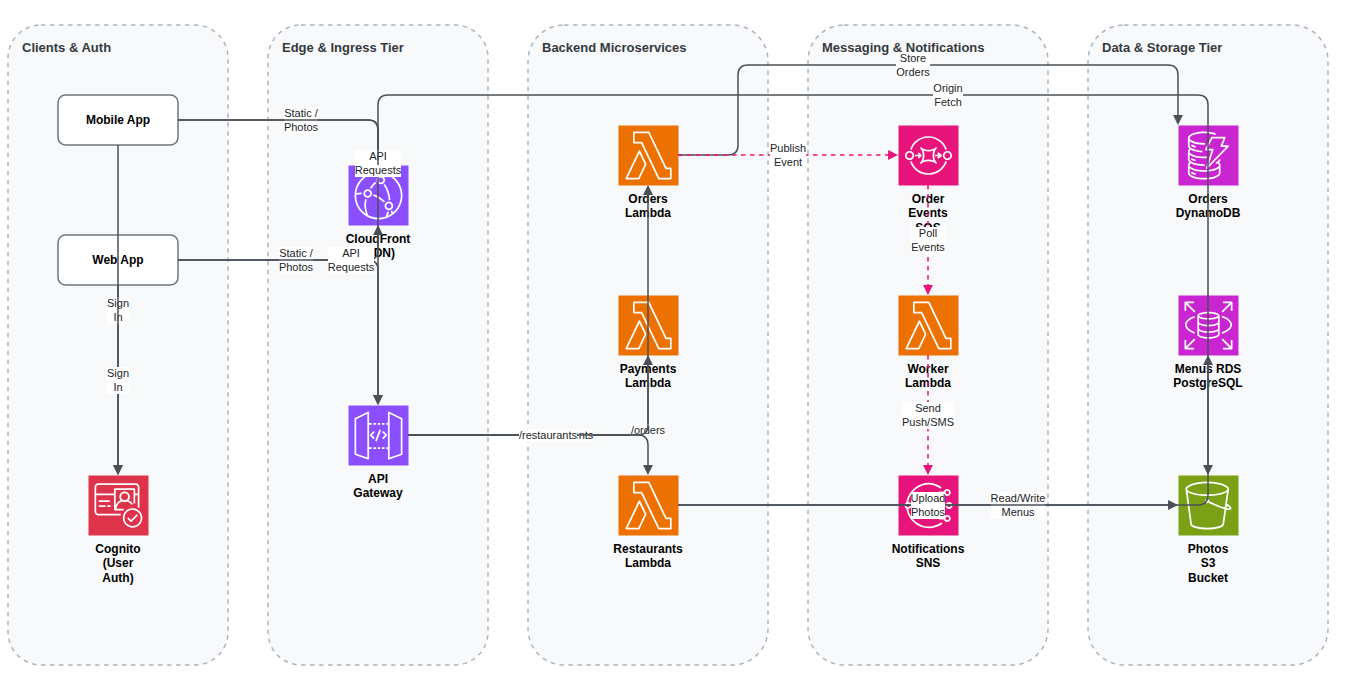
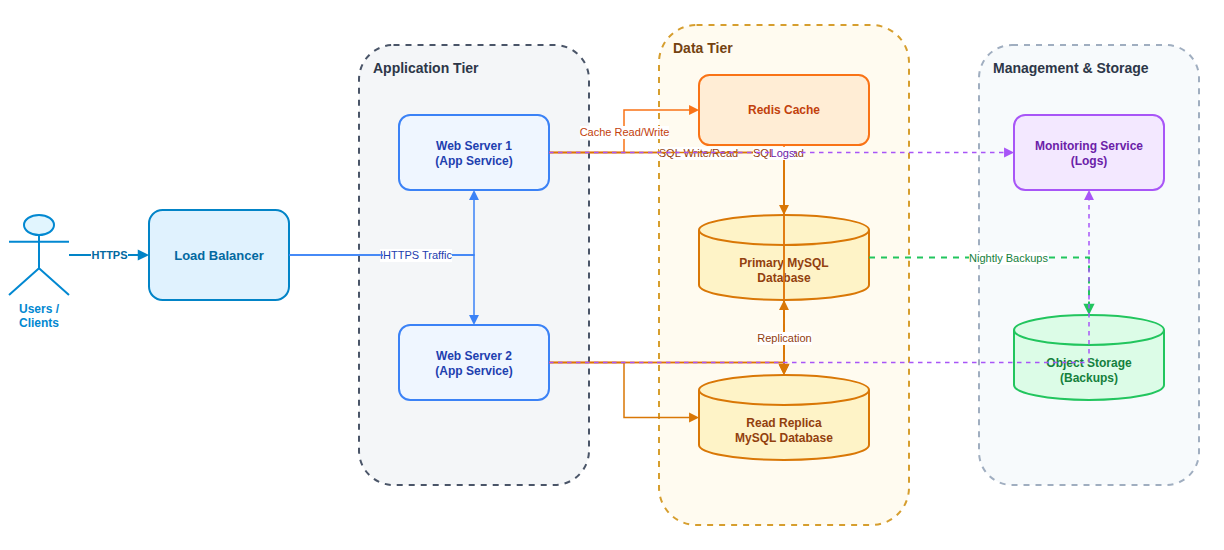
The architecture diagram generator drew each example below from one of the descriptions in the example list.

Three Steps

How to Make an Architecture Diagram From Text

The architecture diagram generator turns a short description into a finished diagram in a couple of minutes.

1

Describe the System

List the components and how they connect, or start from one of the examples above the button.

2

Review the Free Preview

The AI groups the components, draws the connections and shows a watermarked preview so you can check it.

3

Unlock and Edit

Unlock the editable Draw.io file, refine it in the online editor or with AI edits, and download it.

Guide

Describing a System So the Diagram Is Useful

What to include, how to phrase it, and how to check the result before you share it.

What an architecture diagram should show

A good architecture diagram answers three questions at a glance: what the main components are, how requests and data move between them, and where the boundaries lie, such as networks, clusters or cloud accounts. It leaves out code-level detail, which belongs in class or sequence diagrams.

It is the first picture people ask for in onboarding, design reviews, proposals and system design interviews. An architecture diagram generator gives you that picture in minutes, so the conversation can move to whether the design itself is right.

How to describe your system

Walk through a request from the user inward: "the mobile app calls the API gateway, which routes to the order service, which writes to PostgreSQL and publishes an event to Kafka". Then add what sits beside that path, such as caches, queues, scheduled jobs and third-party APIs like a payment provider.

Name the technology when you know it, for example Redis, MySQL, S3 or Lambda, because it decides the shape or icon. Mention grouping that matters, such as a VPC, a private subnet or a Kubernetes cluster, and say which calls are asynchronous so they can be drawn as dashed lines.

Checking the result

Follow the main request path with your finger. Every arrow should point the way the call or data goes, and nothing should connect to a database except the services that own it. Check that each component sits in the right container and that external services stay outside your system boundary.

Then check the labels. A connection without a protocol or purpose is a question waiting to be asked in the review. Fix anything in the Draw.io editor, or ask the AI to move a component, add a label or split a crowded tier.

Going deeper than the architecture

One architecture diagram rarely covers everything. For the order of calls inside one feature, draw a sequence diagram; for the data each service stores, draw an ER diagram; and for how information moves between processes and stores, a data flow diagram is the classic choice.

This site has a generator for each of these, and all of them produce Draw.io files that open in the same editor, so you can keep a whole design document in one consistent style.

Why Use This Architecture Diagram Generator

Made for developers, architects, students and technical writers who need a clear system picture without hours in a drawing tool.

Plain Language Input

Describe the system the way you would in a design review. The model works out the components, the tiers and the connections.

Cloud or Generic

Name AWS services and the architecture diagram generator uses AWS icons. Leave the provider out for neutral shapes: services, cylinders for databases, queues and users.

Readable Layout

The architecture diagram generator reads left to right, from users to data, so the main request path is easy to follow.

Free Preview First

Check a watermarked image of the result before you pay. Unlock the editable file only when the picture is right.

AI Edits After Unlock

Ask for changes such as "add a Redis cache in front of the product service", and the diagram updates in the editor.

Any Language

Write your description in English, Chinese, Indonesian, Spanish or another language, and the labels follow your language.

FAQ

Architecture Diagram Generator FAQ

Answers about icons, pricing, editing and limits.

1

Is the architecture diagram generator free?

A watermarked preview is free, up to 3 a day. The editable Draw.io file costs one credit, or a small one-time payment without an account.

2

Does it use official AWS icons?

Yes. When you name AWS services, the architecture diagram generator uses the AWS icons from the Draw.io library, colored by service category.

3

What about Azure and Google Cloud?

Azure and Google Cloud services are drawn as clearly labelled shapes for now. After unlocking, you can swap in icons from the Draw.io library.

4

Can I edit the diagram afterwards?

Yes. The unlocked file opens in the Draw.io editor, where you can change anything by hand or ask the AI for changes.

5

How big can the system be?

Descriptions up to 2,000 characters work well, usually 10 to 25 components. For larger systems, draw an overview first and one diagram per area.

6

Is it good for system design interview practice?

Yes. Describe your design and the architecture diagram generator gives you a clean picture to review; change parts with AI edits as you explore alternatives.

7

Can I write the description in another language?

Yes. Labels follow the language you write in, while product names such as Kafka or S3 stay as they are.

8

What formats can I export?

You get a .drawio file. Draw.io exports it to PNG, JPG, SVG and PDF, and this site can also turn it into PowerPoint for presentations.

Generate Your Architecture Diagram Now

Describe your components in a few sentences and let the architecture diagram generator draw the first version for you.