Class Diagram Generator: Plain Words In, UML Out

Describe the objects in your system and how they relate. The AI draws classes with attributes and methods, inheritance, composition and multiplicities as a Draw.io file you can edit.

0/2000

Try an example

Free preview, no account needed. Pay $1.99 only to unlock the editable file.

Model Your Code Before You Write It

A class diagram shows the building blocks of an object-oriented system: the classes, what each one holds and does, and how they depend on each other. This class diagram generator takes a plain description and produces a clean UML draft you can refine.

Attributes and Methods

Every class gets realistic fields and operations with types and visibility markers: + public, - private and # protected.

Correct Relationship Arrows

Inheritance, interface realization, association, aggregation, composition and dependency each use their own UML arrow.

Editable in Draw.io

Classes are real Draw.io UML shapes, so adding a field or moving a class takes seconds instead of a redraw.

Class Diagrams Made From One Paragraph

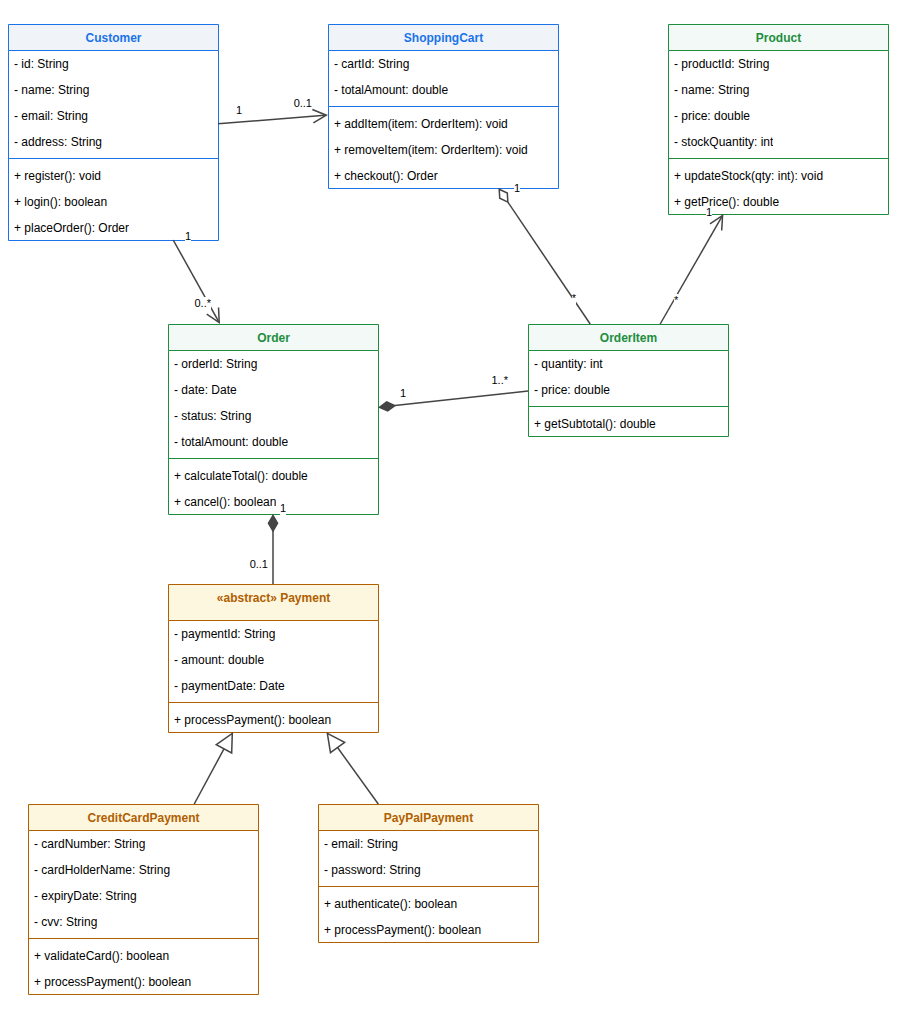
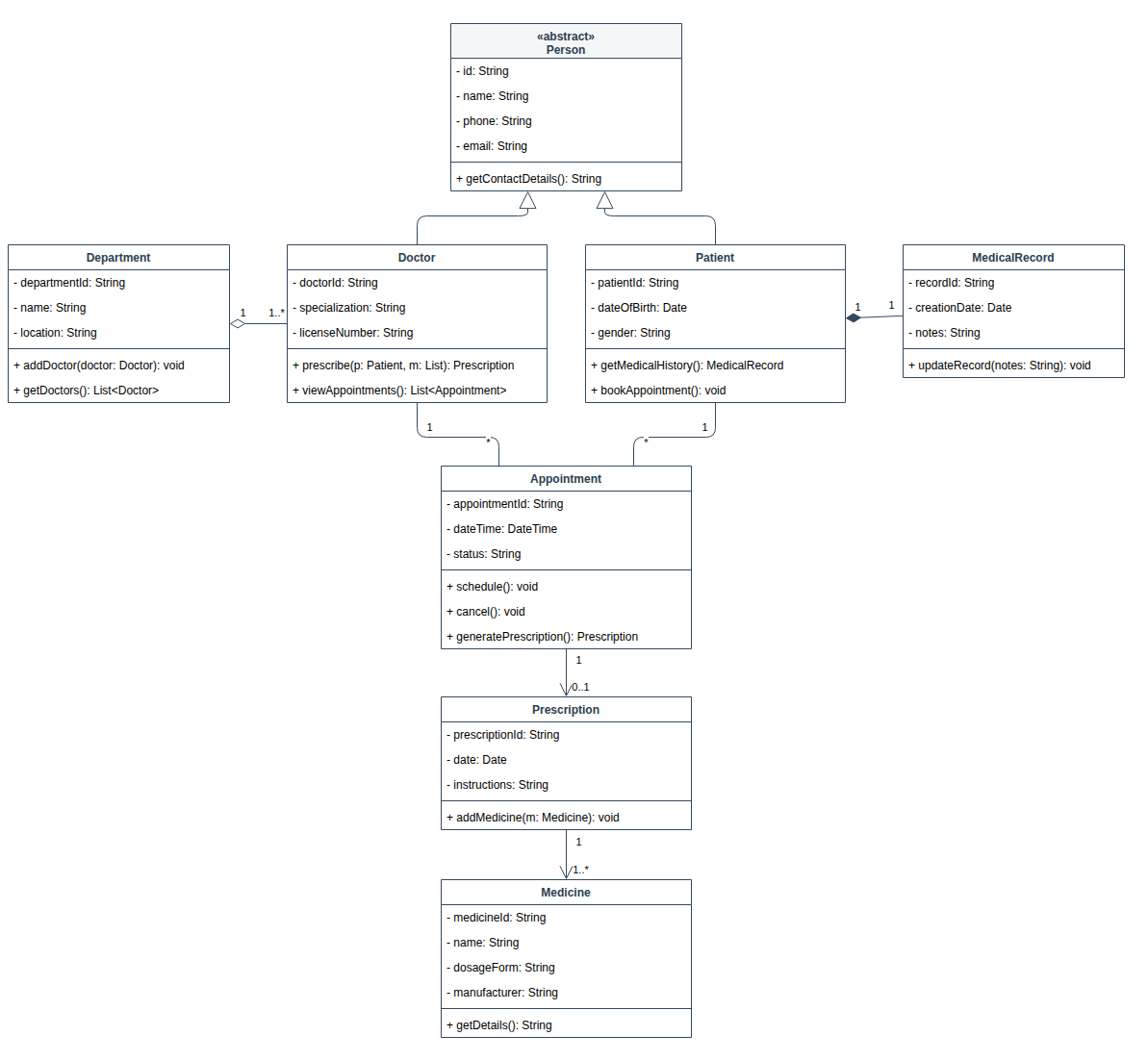
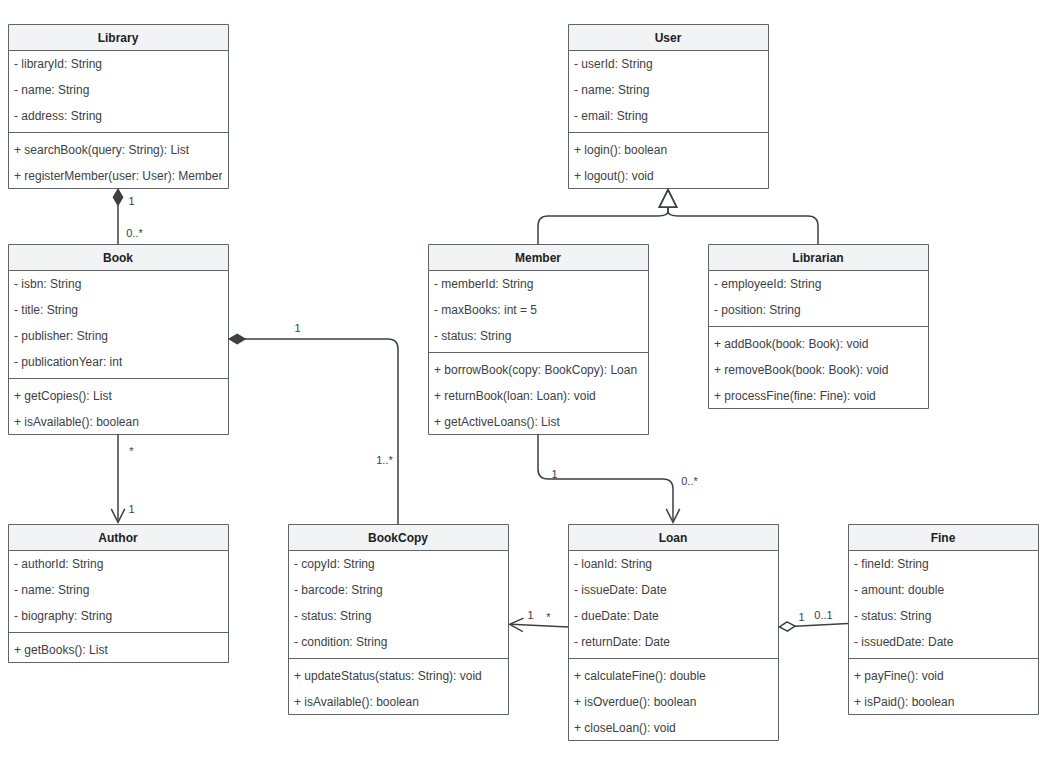
The class diagram generator drew each example below from a short description, with no manual layout.

Three Steps

How to Make a Class Diagram From Text

The class diagram generator turns a short description into a UML diagram in about a minute.

1

Describe the Classes

Write what the system contains and how the parts relate, or start from one of the examples above the button.

2

Review the Free Preview

The AI draws the classes and relationships and shows a watermarked preview so you can check the model.

3

Unlock and Edit

Unlock the editable Draw.io file, refine it in the online editor or with AI edits, and download it.

Guide

Getting a Good Class Diagram From a Description

What a class diagram is for, how to describe your domain, and how to review the result.

What a class diagram shows

A UML class diagram is a static view of an object-oriented system. Each box is a class with three compartments: the name, the attributes it stores and the operations it offers. Lines between boxes show how classes relate, and numbers at their ends say how many objects take part.

It is the diagram most often asked for in software design courses, and the one teams sketch before writing code or reviewing a design. A class diagram generator removes the slow part, drawing and aligning the boxes, so the time goes into deciding what the classes should be.

How to describe your domain

Name the main things and how they are connected: "a customer places many orders", "an order contains order items", "a payment is either by card or by PayPal". These sentences tell the model which classes exist, which way the multiplicities go and where inheritance belongs.

Say which relationships are strong ownership, where the part cannot exist without the whole, so they become composition. If you already know key fields or methods, list them; otherwise sensible ones are added. Keep one diagram to one area of the system for a readable result, then ask the class diagram generator to add the rest later with AI edits.

Reviewing the result

Check the arrows first. A hollow triangle means inheritance and should point at the parent class. A filled diamond is composition and sits at the owner's end; a hollow diamond is aggregation. A plain open arrow is an association, and a dashed one is a dependency.

Then read the multiplicities as sentences, for example "one customer has zero or more orders". If one reads wrong, change it in the editor or ask the AI to fix it. Finally, check visibility: fields are usually private and methods public.

Class diagrams and ER diagrams

Class diagrams and ER diagrams look alike but answer different questions. A class diagram models objects and behaviour in code, including methods and inheritance. An ER diagram models stored data with tables, primary keys and foreign keys, and has no methods at all.

Database assignments usually want an ERD, while object-oriented design work wants a class diagram. The ER diagram generator on this site covers the data side, and both produce Draw.io files from the same description, which keeps names consistent.

Why Use This Class Diagram Generator

Built for students, developers and architects who want a correct UML draft without fighting the drawing tool.

Plain Language Input

Describe the domain the way you would explain it to a teammate. The model finds the classes, fields and relationships.

Sensible Defaults

When your description is brief, the class diagram generator adds the obvious attributes and methods, such as ids, names and getters.

Abstract Classes and Interfaces

Mark a class as abstract or an interface in your text and the class diagram generator labels it with «abstract» or «interface», with a dashed arrow from each class that implements it.

Free Preview First

Check a watermarked image of the result before you pay. Unlock the editable file only when the model is right.

AI Edits After Unlock

Ask for changes in plain words, such as "add a discount method to Order", and the diagram updates in the editor.

Any Language

Write your description in English, Chinese, Indonesian, Spanish or another language. Ask for English class names if you need them.

FAQ

Class Diagram Generator FAQ

Answers about notation, pricing, editing and accuracy.

1

Is the class diagram generator free?

A watermarked preview is free, up to 3 a day. The editable Draw.io file costs one credit, or a small one-time payment without an account.

2

Can it generate a class diagram from code?

Paste a short summary of your classes, fields and methods, or the class names and how they relate. For long source files, summarize them first for the best result.

3

Which relationships does it draw?

The class diagram generator draws inheritance, interface realization, association, aggregation, composition and dependency, each with standard UML arrows and multiplicities at the ends.

4

Can I edit the diagram afterwards?

Yes. The unlocked file opens in the Draw.io editor, where you can change anything by hand or ask the AI for changes.

5

How many classes can one diagram hold?

Descriptions up to 2,000 characters work well, usually 5 to 15 classes. For a bigger system, generate one area at a time.

6

Is it accurate enough for an assignment?

It gives a clean, standard first draft. Check arrow types and multiplicities against your course's rules before you submit.

7

Can I write the description in another language?

Yes. Labels follow the language you write in. Ask for English class and method names in your description if you need them.

8

What formats can I export?

You get a .drawio file. Draw.io exports it to PNG, JPG, SVG and PDF, and this site can also turn it into PowerPoint.

Generate Your Class Diagram Now

Describe your domain in a few sentences and let the class diagram generator draw the first version for you.