AI Flowchart Generator: Describe a Process, Get a Flowchart

Describe a process or upload a picture of one, pick a basic, swimlane or program flowchart, and choose Draw.io, Mermaid, PNG, JPG, SVG, PDF or PowerPoint. Draw.io and Mermaid stay editable, with AI edits.

Diagram type

Output format

The output format can't be changed after the diagram is generated.

0/2000

Try an example

Free preview, no account needed. Pay $1.99 only to unlock the editable file.

From a Few Sentences to a Clean Flowchart

Drawing a flowchart by hand means placing every box, lining up arrows and redoing the layout each time a step changes. This AI flowchart generator reads your description, works out the steps and decisions, and lays them out for you.

Standard Shapes

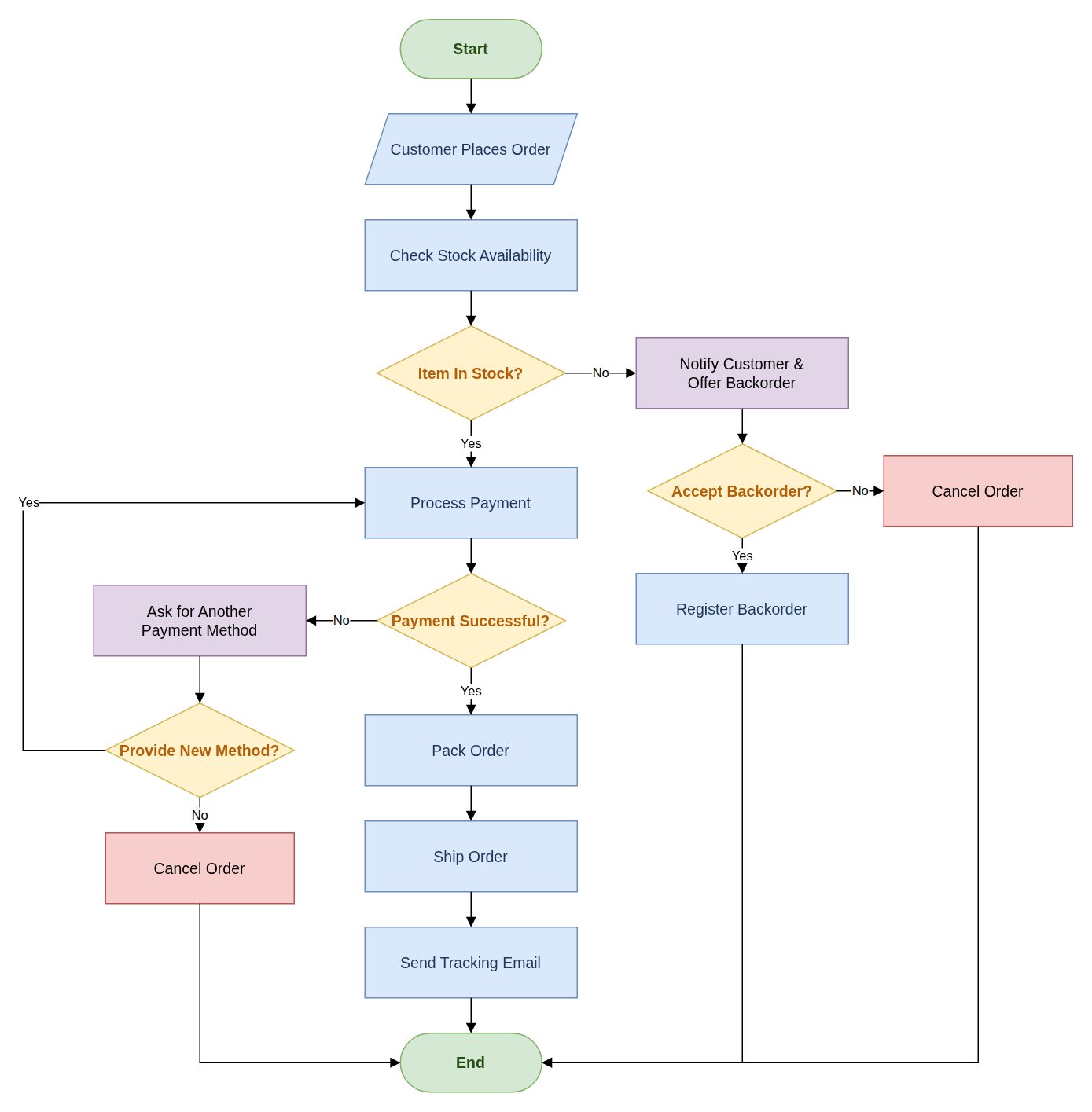
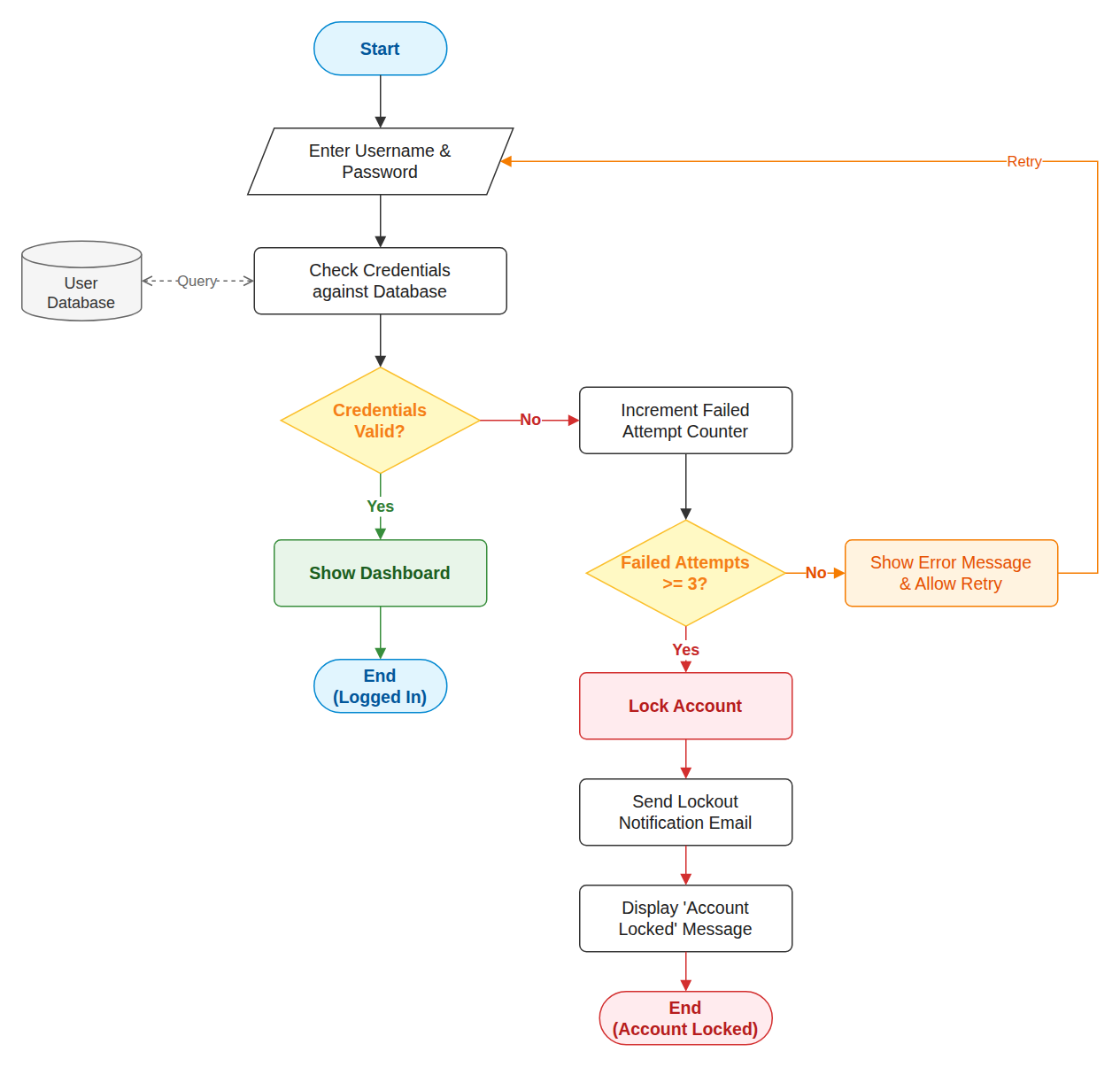
Start and end ovals, process rectangles, decision diamonds, input and output parallelograms and database cylinders, used the way textbooks expect.

Every Branch Labelled

Each arrow that leaves a decision is labelled, such as Yes and No, and loops point back to the step they repeat.

Any Format You Need

Get an editable Draw.io or Mermaid diagram, or a finished PNG, JPG, SVG, PDF or PowerPoint file, from the same description.

Flowcharts Drawn From One Description Each

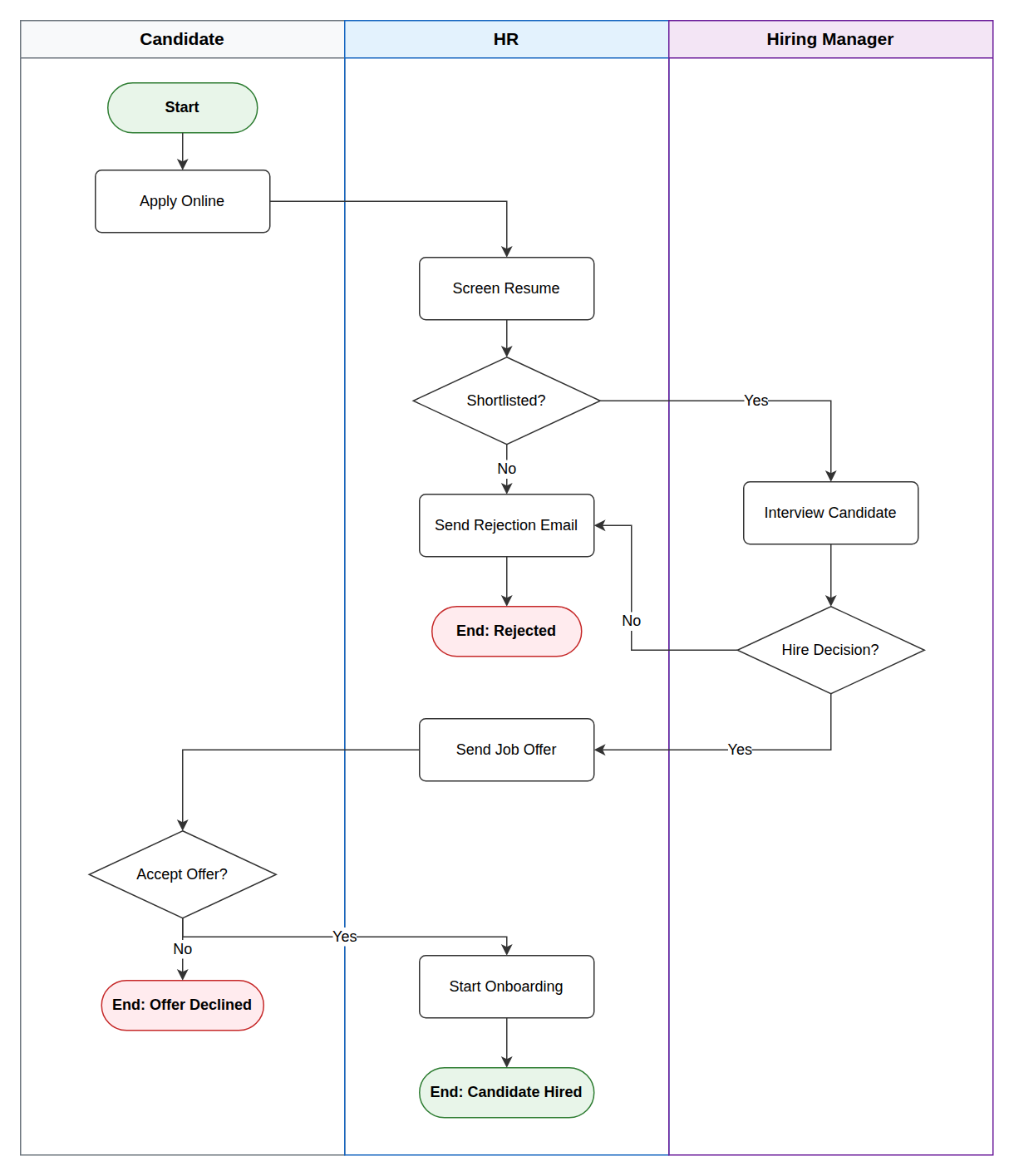
The AI flowchart generator made every example below from the short description shown in the examples above, with no manual layout.

Three Steps

How to Make a Flowchart From Text

The AI flowchart generator turns a short description into a finished diagram in about a minute.

1

Describe the Process

Pick the flowchart type and output format, then write the steps and decisions in order, or start from one of the examples above the button.

2

Review the Free Preview

The AI flowchart generator draws the shapes, arrows and branch labels and shows a watermarked preview so you can check the logic.

3

Unlock and Edit

Unlock the editable Draw.io file, refine it in the online editor or with AI edits, and download it.

Guide

Making Flowcharts With AI

What a good flowchart contains, how to describe one so the AI gets it right, and where this tool fits.

What a flowchart shows

A flowchart shows how a process moves from start to finish. Each step is a box, each decision is a diamond with one arrow per answer, and the arrows show the order. Readers can follow every path, including the error cases and the loops that send them back to an earlier step.

Teachers use flowcharts to check that a student understands an algorithm before any code is written. Teams use them to agree on a business process, find steps that can be removed, and onboard new people. An AI flowchart generator lets you spend that time on the logic instead of on aligning arrows.

How to describe a process for the AI

Write the steps in the order they happen, with one action per sentence. Put each condition in an if sentence and say what happens on both sides, for example "if the payment fails, ask for another card; otherwise ship the order". Say where loops go back to and how they end.

Name the start and end if they matter, mention any inputs, outputs or databases, and ask for swimlanes if several roles are involved. Short, concrete descriptions give better results than long background explanations, so the AI flowchart generator works best with the process itself.

Flowchart AI compared with drawing by hand

Most flowchart makers give you a blank canvas and a shape library. That is fine for small charts, but a process with ten steps and four decisions takes a long time to lay out cleanly, and every change means moving boxes again.

With flowchart AI you describe the change instead, and the layout is redone for you. Because the AI flowchart generator produces a standard Draw.io file, you can still fine-tune every shape by hand, which many text to flowchart tools that output a fixed image do not allow.

From flowchart to code, documents and slides

Once the flowchart is right, export it from Draw.io to PNG, SVG or PDF for a report or an assignment, or keep the .drawio file next to your code so the diagram changes with it. This site can also turn the file into an editable PowerPoint slide.

If you already have a flowchart as a picture, such as a screenshot or a photo of a whiteboard, switch the generator to the image tab or use the flowchart image converter. The AI flowchart generator also works when you only have the idea or the text.

Why Use This AI Flowchart Generator

Built for students with an assignment due, analysts mapping a business process and developers explaining an algorithm.

Plain Language Input

Describe the process the way you would explain it to a colleague. The model finds the steps, the conditions and the order they run in.

Decisions and Loops

Conditions become diamonds with one labelled arrow per outcome, and repeated steps loop back, so the logic is easy to follow.

Three Flowchart Types

Pick a basic flowchart, a swimlane flowchart with one lane per role, or a program flowchart for code, and the AI flowchart generator follows the conventions of each.

Free Preview First

Check a watermarked image of the result before you pay. Unlock the editable file only when the flow is right.

AI Edits After Unlock

Ask for changes such as "add a manager approval before payment", and the flowchart updates in the editor.

Any Language

Write your description in English, Chinese, Indonesian, Spanish or another language, and the labels follow your language.

FAQ

Frequently Asked Questions

Answers about generating flowcharts from text.

1

Is the AI flowchart generator free?

A watermarked preview is free, up to 3 a day. The editable Draw.io file costs one credit, or a small one-time payment without an account.

2

Which flowchart symbols does it use?

The AI flowchart generator uses ovals for start and end, rectangles for steps, diamonds for decisions, parallelograms for input and output, and cylinders for databases, following common flowchart conventions.

3

Can it make swimlane flowcharts?

Yes. Choose Swimlane flowchart as the type and name the roles or departments, and the AI flowchart generator places each step in the lane of whoever performs it.

4

Can I generate a flowchart for an algorithm or a program?

Yes. Choose Program flowchart and describe the inputs, conditions and loops, for example a sum from 1 to N or a binary search. Statements and variables are kept as you wrote them.

5

Which output formats can I choose?

Draw.io, Mermaid, PNG, JPG, SVG, PDF or PowerPoint. Pick the format before generating. Draw.io and Mermaid stay editable with AI edits; the others are finished files to download.

6

Can I edit the flowchart afterwards?

Yes. After unlocking, move or rename shapes in the Draw.io editor, or describe a change in the AI panel and the diagram is updated.

7

How long can my description be?

Between 10 and 2,000 characters. Describe one process per flowchart; for a very large process, split it into smaller charts.

8

Can I write the description in another language?

Yes. Write in English, Chinese, Indonesian, Spanish or most other languages, and the labels in the flowchart use the language you wrote in.

9

I already have a flowchart image. Can I convert it?

Yes. Switch the generator to the image tab and upload a screenshot, scan or photo of a flowchart, and it is redrawn as an editable diagram.

Generate Your Flowchart Now

Describe the steps of your process and let the AI flowchart generator draw the first version for you.